Work with agents
Chat with Claude, Codex, Cursor, or a local model in the same workspace as the graph and reader. You decide which agent runs, what context it sees, and what evidence backs its answers. Nothing is written without your review.
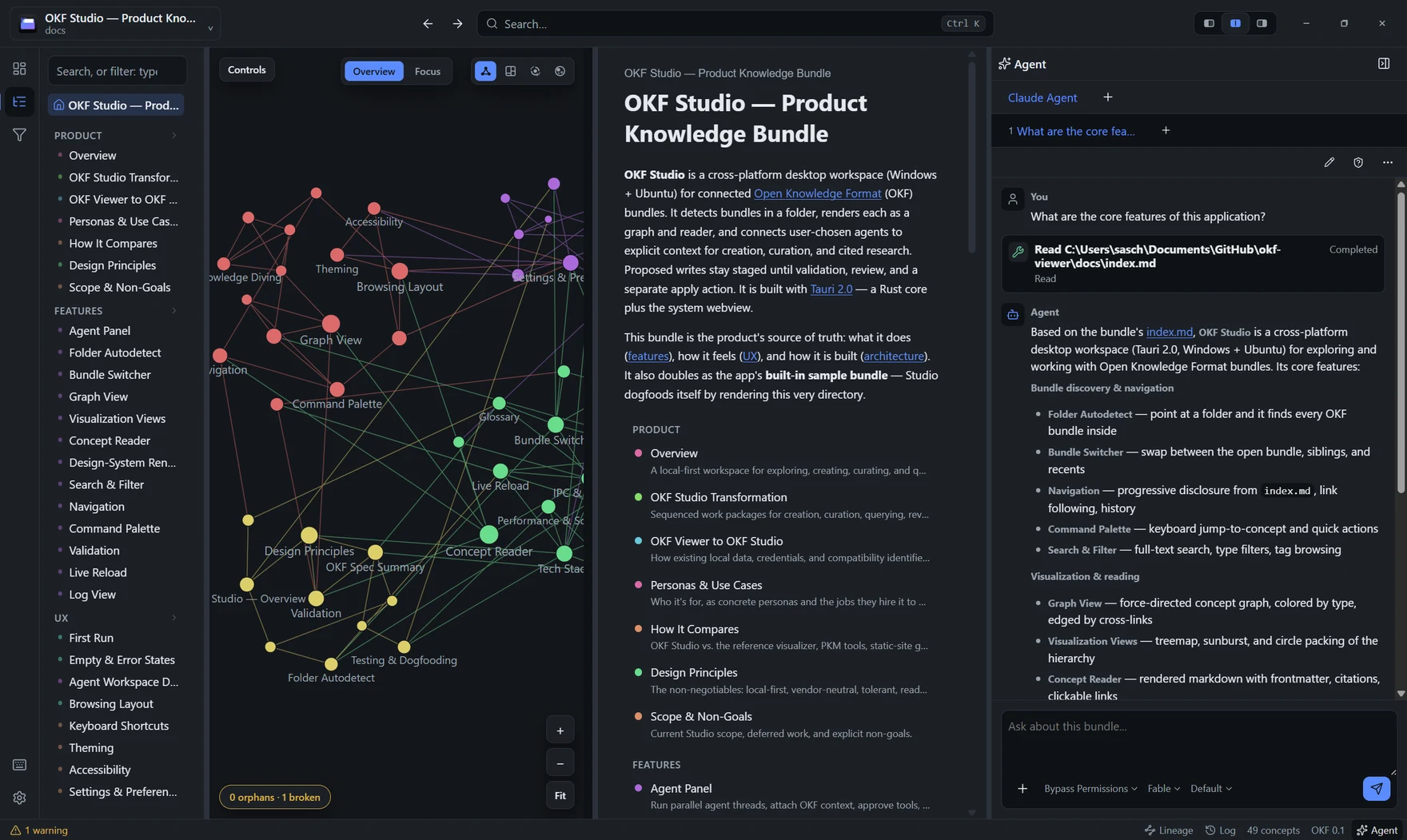
Choose your agent
The agent account, login, and billing stay with the provider you picked.
- Bring the agent you already use
- Install Claude Agent, Codex, Cursor, Gemini CLI, GitHub Copilot, Qwen Code, Cline, Auggie CLI, or Factory Droid from a searchable registry. Every build is pinned and checksum-verified.
- Or keep it fully local
- Run Studio Agent against Ollama, LM Studio, llama.cpp, or any OpenAI-compatible endpoint. API keys live in your operating system's credential store, never in the app.
- Threads that come back
- Run parallel threads per agent and switch by keyboard. Reopen Studio and it reconnects the last agent, resuming its bundle-scoped transcript after agent-owned sign-in.
Ask with evidence
Answers stay readable; the receipts stay inspectable.
- OKF methods built in
- Studio ships a versioned capability pack of twelve focused methods, including retrieval, authoring, and meaning-preserving revision. Named tasks and ordinary chat select from the same catalog, and Settings shows the exact methods, tools, writing rules, schemas, and digests.
- Evidence you can inspect
- Each bundle question runs a local structural search before it reaches the agent. The answer stays readable while a compact receipt keeps excerpts, source conflicts, and missing chronology behind Inspect.
- Context on your terms
- Inspect a task's capabilities, tools, concept neighborhood, validation state, sources, and context budget before the first prompt. Remove optional context yourself, and refresh it when a bundle changes.
- Sources with receipts
- Files, folders, images, and public pages show their adapter, observed time, origin, fingerprints, and warnings before send. Named tasks carry a profile-ready provenance record, while absolute local paths and embedded instructions stay out.
Work from the object in view
Structured work starts where you already are.
- One launcher, any starting point
- Open authoring, audit, repair, research, enrichment, migration, or change-impact work from the object in view. Profile findings carry the selected local conventions and say which fields OKF requires, which the profile requires, and which it only recommends.
- Plans and reports that stay usable
- Bundle plans, source inventories, health reports, research briefs, impact maps, and staged revisions open as validated work beside the conversation, with every bundle write behind staging and review.
- Hand work to Studio safely
- Open a bundle, concept, or named OKF task from an installed Studio link or desktop command. Studio previews the decoded request and asks before granting a new folder. Other local agents can receive a one-shot read-only OKF MCP descriptor from Settings.
Stay in control
Every thread shows its scope; nothing happens without you.
- One turn, fully visible
- Each prompt and its ordered agent work read as one turn. Completed details fold away, active work stays visible, and every thread keeps its visible file, network, credential, and process scope.
- Memory you can inspect and delete
- Studio remembers a task-specific context choice only after showing its exact effect, keeps bounded metadata outside the bundle, and lists its owner, origin, retention, and delete action in Settings.
- Routine checks that fail closed
- Run or schedule offline bundle-health and source-fingerprint checks without an agent. Routines recheck the bundle grant every time, record interrupted work instead of assuming success, and cannot fetch, prompt, stage, or apply changes.
Go deeper
Setup, keyboard, and reference material live in the documentation; these pages stay descriptive.
Where this shows up
Task-first paths that lean on this area.
Get OKF Studio
Free and open source. Windows and Linux builds; macOS from source.