Product · Understand

Explore knowledge

Open any conformant OKF bundle in a distraction-free reader. Switch among graph views, search by text and structure, preview links, and trace dependencies across hops.

The reader

Every concept, its links, and where it is cited.

The live index uses the same authored sections as the hierarchy views, beside highlighted code, zoomable images, and the relationship panel. Navigation stays keyboard-first throughout. Structured claim markers open the same durable evidence record shown in the reader rail, and public sources are checked only when you ask.
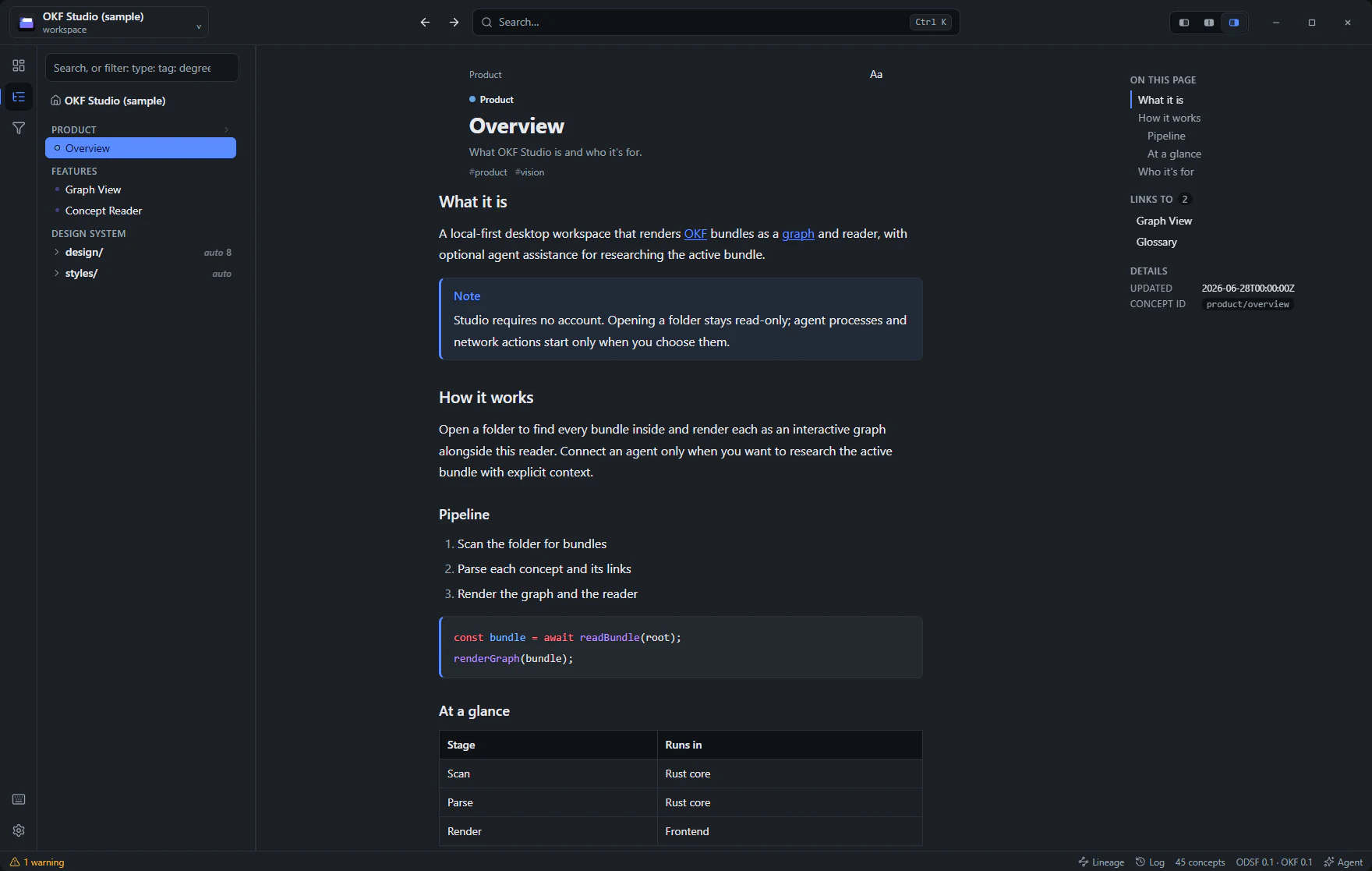
OKF Studio's concept reader with the index and relationship panel

Read a concept at your own pace

The reader's Aa control tunes size, width, spacing, and font, and the header can pace the concept for you. A focus player shows one word at a time, each word held in the spot your eye already looks for and holding it there as the sentences change. A guided mode leaves the page alone and sweeps a marker through it instead. Both let you step back a word or a sentence whenever a line does not land, both stop at a table or a code block rather than reading it out as words, and both say plainly where a faster pace starts costing you.

See the bundle from different angles

The same bundle as a network, a treemap, a sunburst, or nested circles. Authored index sections give the hierarchy meaningful levels. Switch with one click, and it opens that way next time.

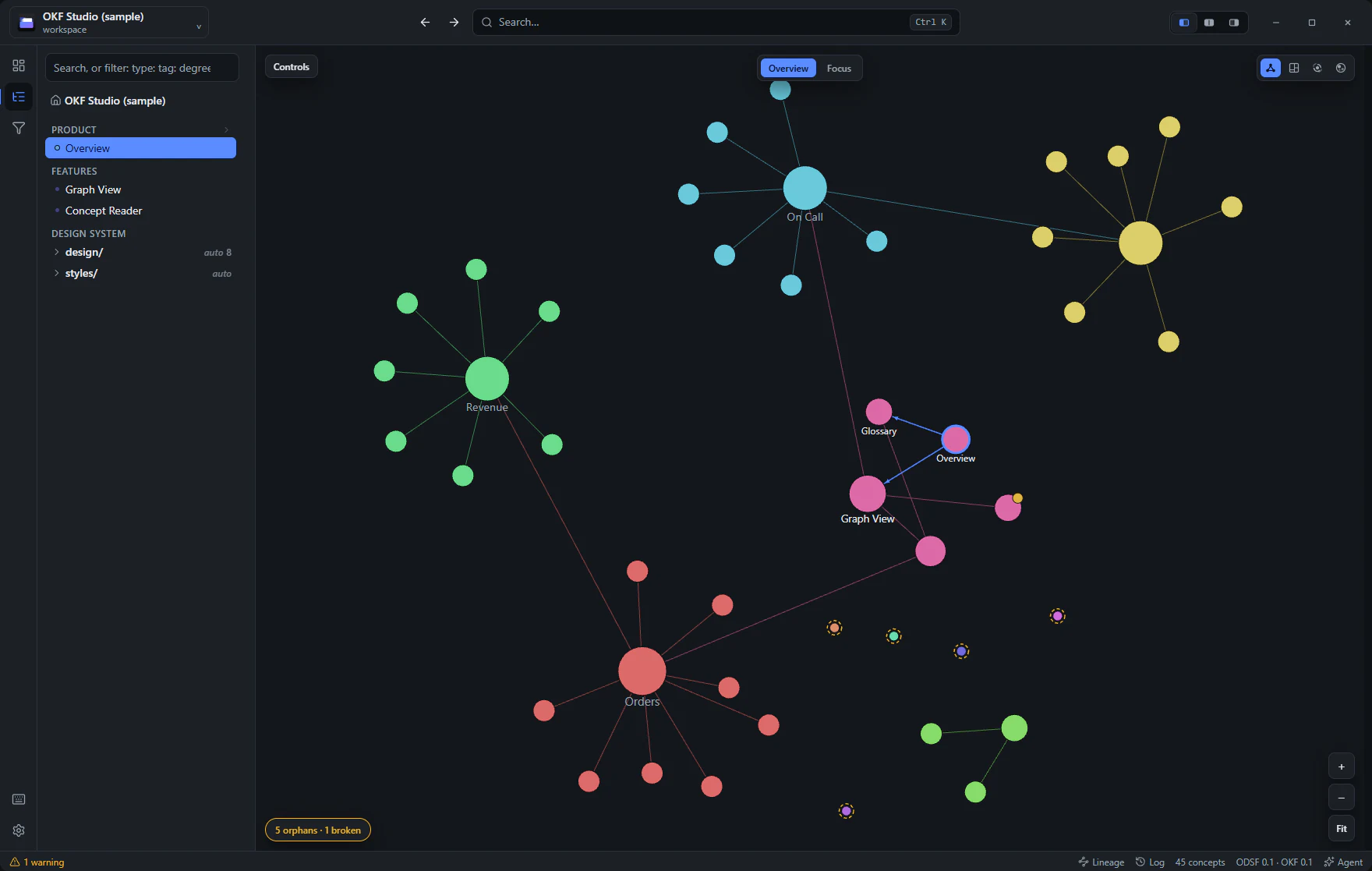
OKF Studio's force-directed graph of a documentation bundle, nodes colored by concept type

Graph

The force-directed network: what cites what, hubs and clusters at a glance. Double-click a node to expand its neighborhood.
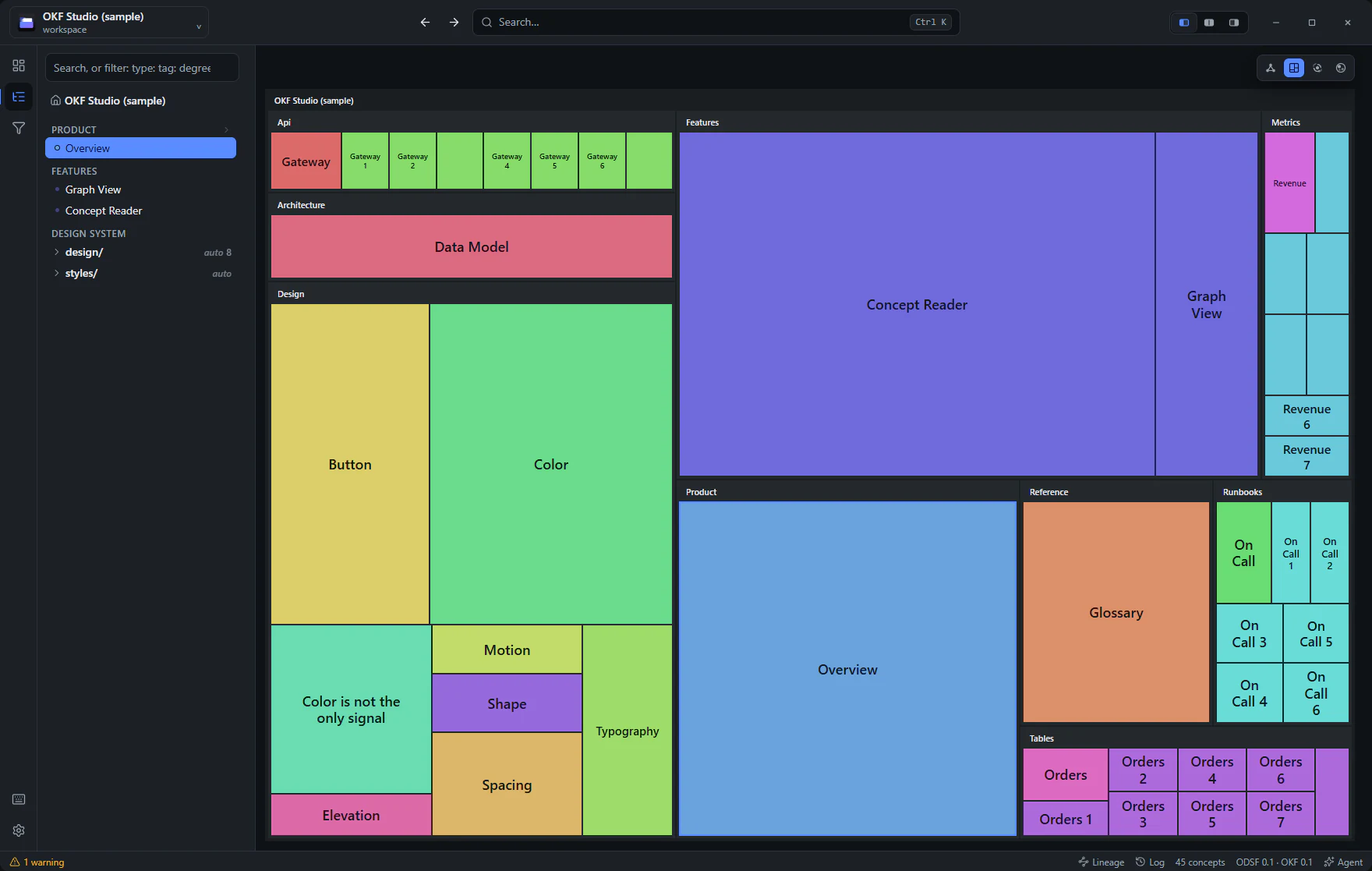
OKF Studio's treemap view: nested rectangles grouped by section, sized by content

Treemap

Nested rectangles sized by how much is written: what's big, what's inside what. Click a group to drill in.
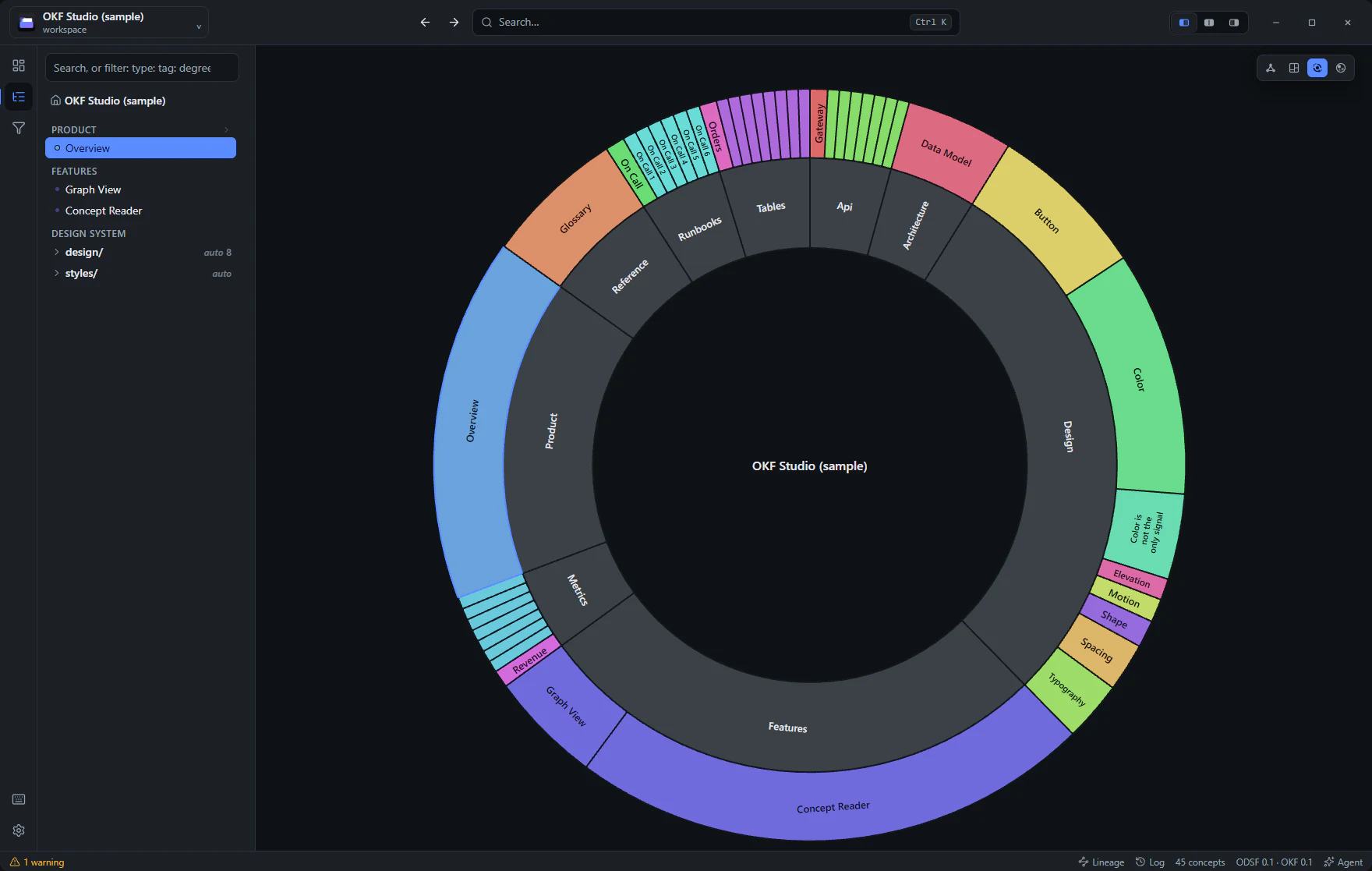
OKF Studio's sunburst view with authored bundle sections as concentric rings

Sunburst

Every ring adds an authored level, and All keeps every concept in view. Click a sector to focus; the center takes you back up.
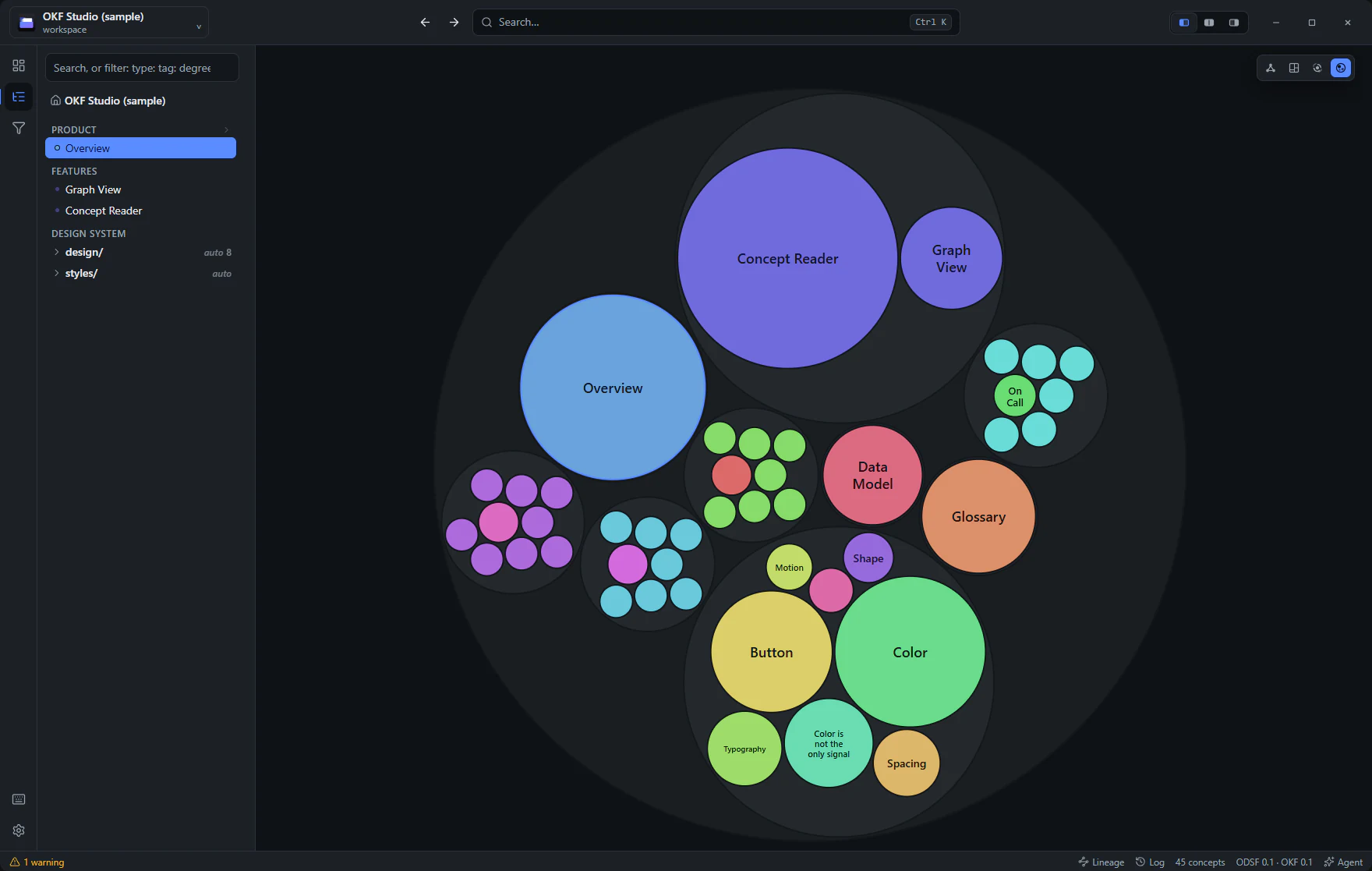
OKF Studio's circle-packing view: concepts as nested circles grouped by section

Circle packing

Groups within groups as nested circles, with a smooth zoom as you drill down and out.

A real reader

Concepts open as readable documents.

The whole extended Markdown set
Highlighted code, content-sized tables, math, Mermaid diagrams, footnotes, task lists, emoji, and contained embedded HTML. Plus zoomable images and keyboard-first navigation.
Peek before you open
Hover any concept link for an instant preview of its type, title, and first lines, before deciding it's worth a tab.
Tabs and windows
Ctrl+click opens a concept in a new tab with its own history. Drag to reorder, or tear one off into its own window for a second monitor.

Built for the deep dive

Orientation first, then precise questions.

A home for active work
Resume concepts, read the bundle-authored activity stream, handle validation and link issues, and return to current Git changes without hunting through separate panels.
Faceted search
Queries like type:Table degree>5 combine text, concept type, and graph structure.
Lineage across hops
Trace upstream dependencies or downstream impact across several hops. Filter by portable or team-defined relationship and reliability state, see cycles and limits, and open a shortest path that explains every step.
Meaning on portable links
Optional team profiles can label a Markdown link as evidence, dependency, ownership, supersession, or a producer-defined relation. The reader shows known and unknown types without changing OKF validation.
Know when knowledge needs caution
Optional lifecycle, confidence, effective-time, review, contradiction, and replacement signals qualify what readers and agents see. Missing metadata never makes a concept invalid.
Follow a claim to its source
Optional evidence markers connect a sentence to a durable source record. The reader shows its locator, observation, adapter, digest, and status, and checks a public source only when you press Check source.

Any conformant bundle

Studio reads bundles from any producer, and a sloppy one still opens.

Local folder or GitHub URL
Open a folder on disk, or explicitly download and cache a GitHub URL on your machine. Studio records that choice and confines readers, assets, watchers, and agents to the bundle roots its scan found.
One visible ignore boundary
A root .okfignore keeps chosen paths out of parsing, watching, retrieval, source intake, and projections. Studio reports what it excluded and makes clear that ignore rules are not encryption or access control.
Bundle details stay together
An Info action beside Share shows bundle conformance at a glance, then opens identity, format, metadata, connections, ignore rules, and local profiles in focused views. Connection work opens in its own workspace, while the footer stays quiet.
Design-system aware
ODSF bundles render their design tokens and live HTML/CSS examples right in the reader.
Connections where you use them
Resolve external bundles and exchange portable JSON-LD relationships in a dedicated workspace. Language switching and digest-checked resources stay with the active concept. The full report loads only when one of those surfaces needs it.

Where this shows up

Task-first paths that lean on this area.

Get OKF Studio

Free and open source. Windows and Linux builds; macOS from source.